ConvertCraft
Your files. A new format. All on your desktop.
What you can do
100% local
Files are processed on your machine and never uploaded to a conversion service.
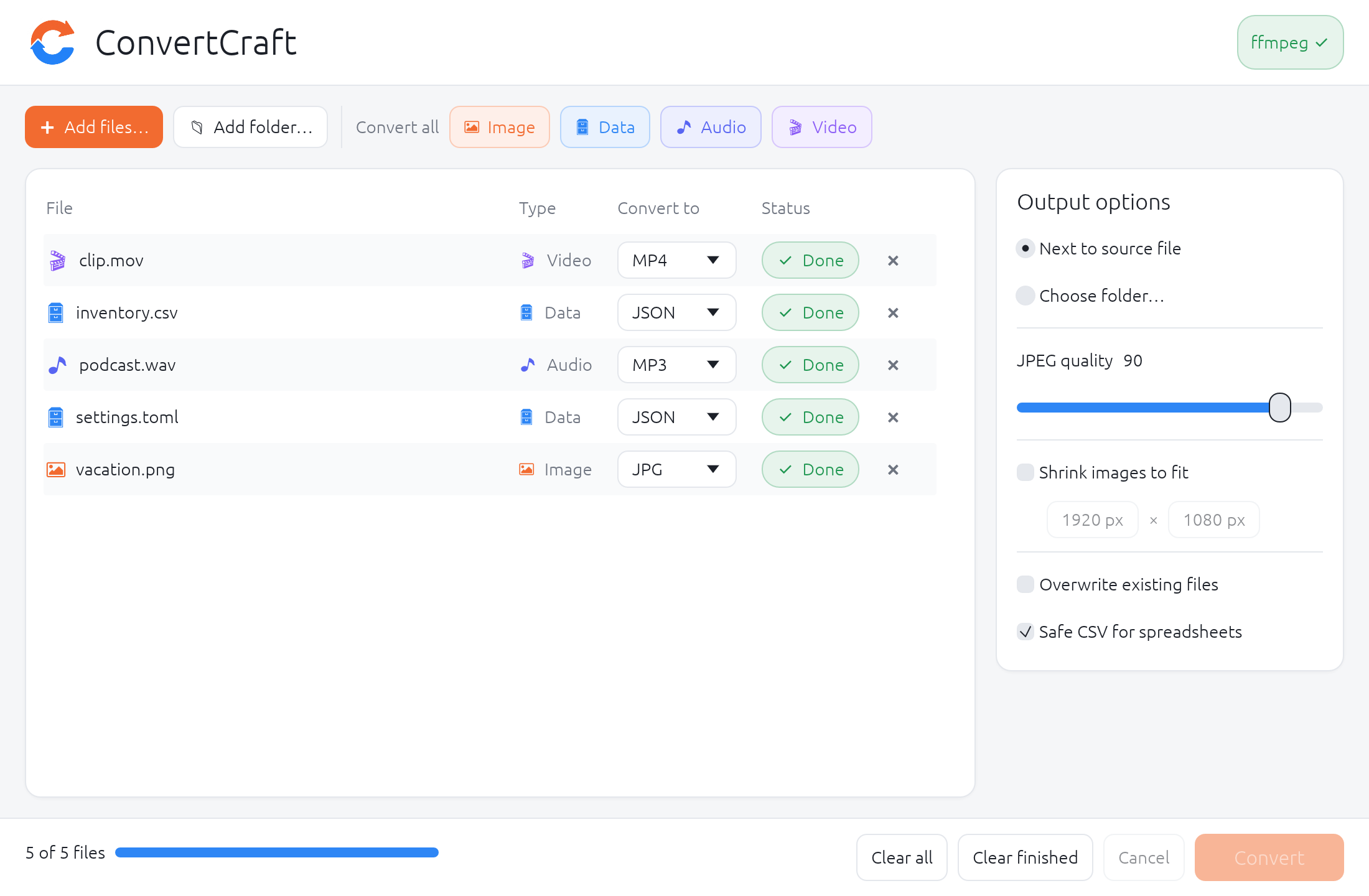
Build a batch
Pick multiple files, import a folder recursively, or drag files and folders into the window.
Mix formats
Choose a target per file, or apply one target to an entire category.
Keep working
Up to four background workers, with per-file status and batch progress.
Safe by default
Overwriting is off; collisions get numbered suffixes. Failed jobs leave no partial files.
Tune image output
JPEG/AVIF quality from 10 to 100, plus optional max width and height.
Supported formats
| Category | Inputs | Outputs | Backend |
|---|---|---|---|
| Images | PNG/APNG, JPG/JPEG/JFIF, WebP, BMP, GIF, TIFF, ICO, TGA, QOI, PNM/PBM/PGM/PPM/PAM, HDR, EXR, Farbfeld, DDS | PNG, JPG, WebP, AVIF, BMP, GIF, TIFF, ICO, TGA, QOI, PNM, HDR, EXR, Farbfeld | Rust image |
| Data | JSON, YAML/YML, TOML, CSV | JSON, YAML, TOML, CSV | Rust parsers |
| Audio | MP3/MP2, WAV/W64, FLAC, OGG/OGA, M4A/M4B, AAC, Opus, WMA, AIFF, AC3, E-AC3, DTS, MKA, CAF, WavPack, TTA, AU | MP3, WAV, FLAC, OGG, M4A, Opus, AAC, AIFF, WMA, AC3 | FFmpeg |
| Video | MP4, MKV, WebM, AVI/DivX, MOV, WMV/ASF, FLV/F4V, M4V, MPG/MPEG/M2V, VOB, TS/MTS/M2TS, 3GP/3G2, OGV, MXF, RM/RMVB, DV, Y4M | MP4, MKV, WebM, AVI, MOV, M4V, TS, FLV, WMV, OGV, animated GIF/WebP; audio extraction | FFmpeg |
Get started
Requires a stable Rust toolchain and native build tools (MSVC on Windows, Xcode Command Line Tools on macOS, a C/C++ toolchain on Linux). FFmpeg on PATH is optional and only needed for audio and video.
git clone https://github.com/PierrunoYT/ConvertCraft.git
cd ConvertCraft
cargo run --release --locked- macOS:
scripts/bundle-macos.shbuilds a double-clickableConvertCraft.app. - Linux: runs natively on X11 and Wayland; see the README for package dependencies.
- Windows: add the folder containing
ffmpeg.exetoPATHfor audio and video.